
Why GBP is the highest-leverage free channel for attorneys
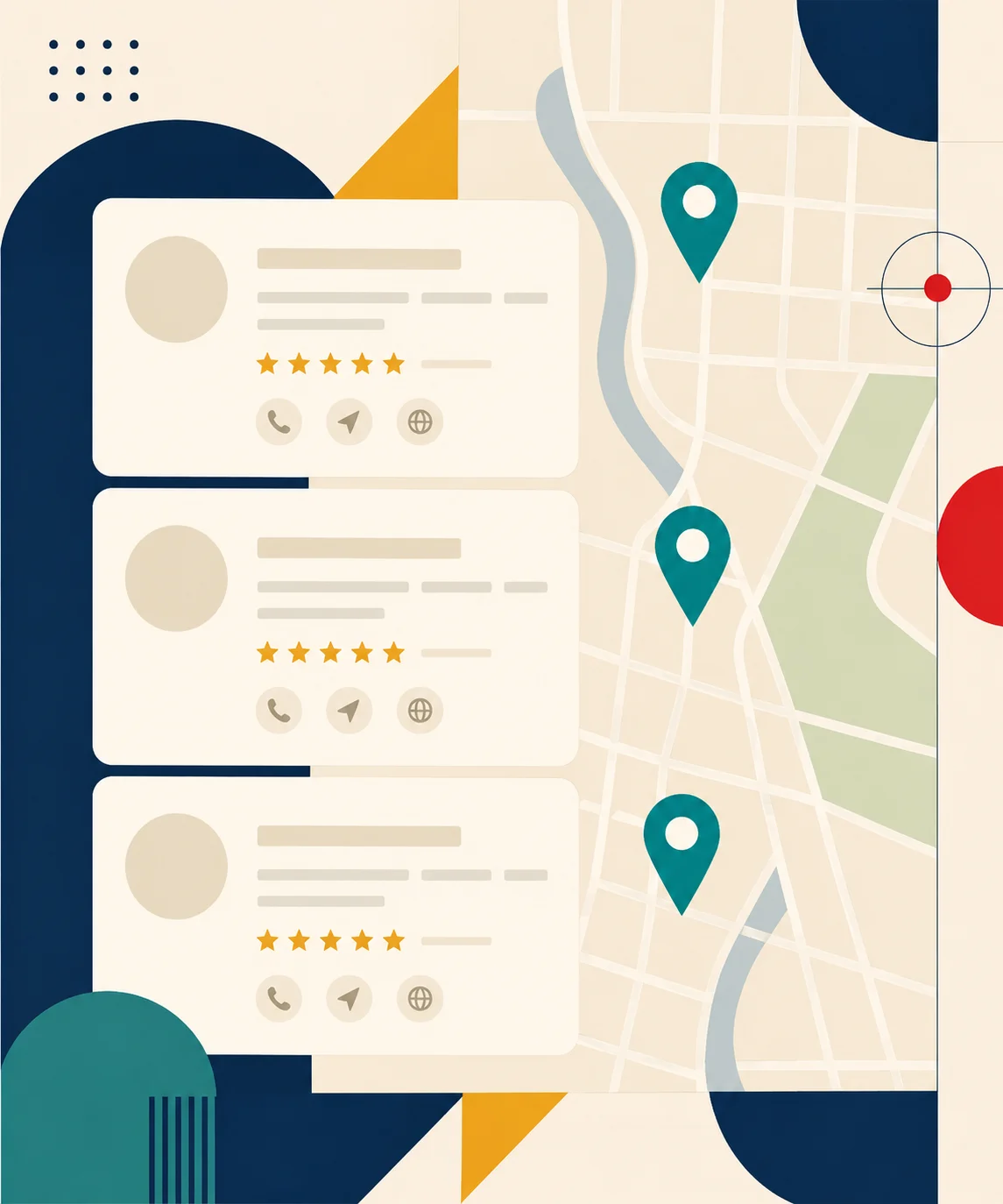
Run any local legal search — "probate attorney Cleveland," "divorce lawyer Austin," "DUI attorney Phoenix" — and the first thing on the screen is the local map pack: three businesses with reviews, photos, and a "Directions" button. That's Google Business Profile (GBP, formerly Google My Business).
Local pack listings capture 44% of clicks on local searches in legal verticals (industry benchmarks). The map pack ranks above the organic results, which means a well-optimized GBP profile beats a #1 organic ranking on visibility for local intent. And it's free.
Most small firms have a claimed GBP but treat it like a phonebook entry — name, address, phone, done. That's the equivalent of buying a building and never opening the front door. The 12 settings below are what separate "claimed" from "ranking."
The 12 settings that actually move the needle
Ordered by impact, with rough effort-to-payoff ratios:
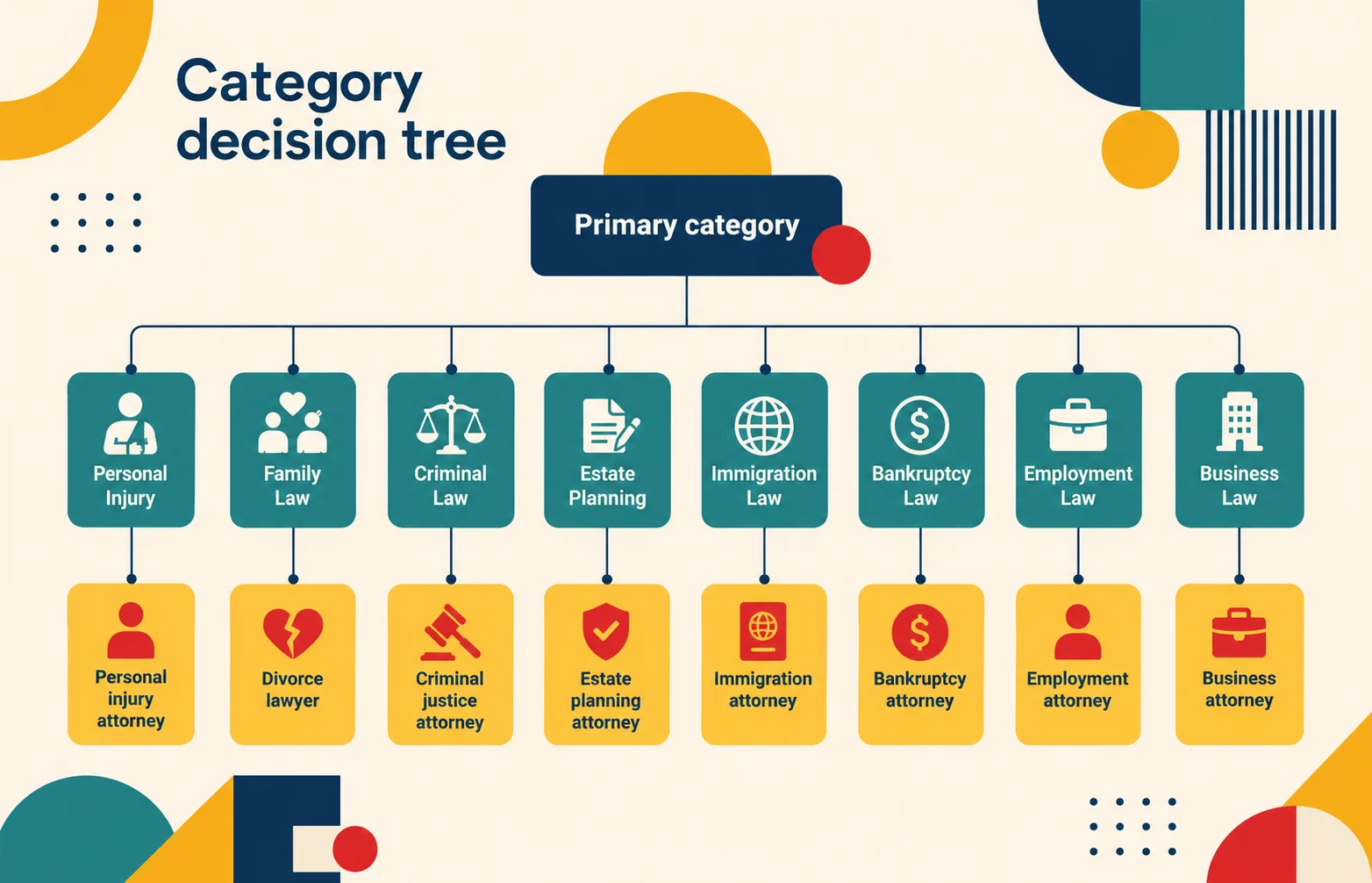
1. Primary category — exact match to practice area. "Estate Planning Attorney" or "Personal Injury Attorney" or "Criminal Justice Attorney." The primary category is the single most important ranking signal in GBP. Get it wrong and the rest of the optimization compounds against you.
2. Additional categories — 3–5 supporting. A probate firm should add "Estate Planning Attorney," "General Practice Attorney," maybe "Wills and Trusts." Don't over-stuff (Google penalizes irrelevant categories) but cover the secondary practice areas you genuinely serve.
3. Service area — every county you serve. Probate searchers Google by county constantly. Adding 8–12 surrounding counties dramatically widens the geo-pool of searches you can rank for.
4. Business name — clean and accurate. Use the firm's legal name. Don't keyword-stuff ("Smith Law — Ohio Probate Attorney Cleveland") — Google catches it and suspends profiles.
5. Hours — accurate and updated for holidays. Sounds trivial. It isn't. Google demotes profiles with inconsistent or stale hours.
6. Phone number — tracking number ideally. A CallRail / WhisperFlow tracking number on GBP lets you attribute GBP-driven calls separately from website calls. Critical for measuring channel ROI.
7. Photos — exterior, interior, attorney headshots, office. Listings with 10+ photos get 35% more clicks to the website and 42% more direction requests (GBP Insights data). Don't use stock photos.
8. Description — 750 words, naturally written. Lead with what you do, who you serve, where you serve, why you're qualified. Sprinkle keywords naturally; don't list them.
9. Services list — each practice area with a description. A separate entry for "Probate Administration," "Estate Planning," "Will Drafting," etc. Each gets 100–200 words of description. This is where most attorneys leave the biggest gain on the table.
10. Q&A — populated by you, not visitors. Add 10–15 practice-relevant questions and answer them yourself. "How long does probate take in Ohio?" "Do I need an attorney for probate?" "What's the small-estate threshold here?" These show up in the map pack and feed AI overviews.
11. Posts — 2–3 per month. "Ohio raised the small-estate threshold to $35K — here's what changed." Short, dated, with a link back to your blog or calculator. GBP posts compound for ranking and they cost 15 minutes each.
12. Reviews — request systematically, respond to every one. Detail below — this is the single biggest ranking driver.
Reviews — the ranking factor that overwhelms the others
If you only do one thing in GBP, do reviews. Volume (number of reviews), velocity (rate of new reviews), and rating (4.5+ stars) collectively account for the largest single chunk of map-pack ranking weight.
Three rules:
- Ask after every closed matter. Personal email from the attorney to the client (not an automated CRM blast) — "If our work was helpful, a quick Google review would mean a lot." Include the direct link to your GBP review page. Response rate runs 20–30% on personalized asks vs 2–5% on automated.
- Respond to every review — within 48 hours. Positive: thank them by name, mention the work briefly (no client detail). Negative: address professionally, never argue, invite them to call. Google ranks profiles with active review response higher than profiles that ignore reviews.
- Check your state bar rules. Some states restrict how attorneys can solicit reviews. California, Florida, and Texas have detailed rules — read them before launching a review-request system. The rules are workable in every state; the unauthorized practice issues are about quotes, fake reviews, and pay-for-reviews schemes, not legitimate post-engagement requests.
Never buy reviews. Google's review-fraud detection is aggressive and getting more so — a single fake-review incident can suspend the GBP, which is a far bigger loss than the marginal reviews would have gained.
GBP Insights — what to track monthly
GBP's built-in Insights dashboard surfaces four metrics worth checking monthly:
- Search queries — what people typed to find you. Use these to seed blog topics and calculator pages.
- Direct vs discovery searches — direct = searched your firm name, discovery = searched a category like "probate attorney near me." The ratio tells you whether your brand awareness or your local SEO is the constraint.
- Direction requests vs phone calls vs website clicks — relative weight of each action tells you whether visitors are deciding from the GBP itself or going to the site first.
- Photo views — high photo views with low actions usually means the photos are stale or unrepresentative. Refresh quarterly.
Common GBP mistakes
Five mistakes I see every week on attorney GBP profiles:
1. No primary category. Or wrong primary category ("General Practice Attorney" on a firm that only does PI).
2. Stuffed business name ("Smith Law Top Probate Attorney Ohio") — Google penalty risk, immediate de-rank.
3. Zero posts in 6+ months — Google reads this as low activity and demotes the listing.
4. Unanswered Q&A — random users post questions, often misleading, and the firm never answers. Read every Q&A monthly and answer or flag.
5. No review-request system — "reviews will come naturally" doesn't work for most practice areas. Build a system or accept being out-reviewed by every competitor.
Where to start
If your GBP is bare-bones, the 30-day plan:
- Days 1–7: Fix categories, business name, hours, photos. Write the 750-word description and the services list.
- Days 8–14: Populate 10–15 Q&A entries. Write the first GBP post.
- Days 15–30: Build the review-request workflow. Email past clients (where bar rules permit) and ask. Set the cadence for ongoing posts and review responses.
Within 90 days, expect map-pack visibility to lift 30–60% on local searches relevant to your practice area. Pair the GBP work with calculator-driven landing pages — see the free probate calculator and for-law-firms embed — and the local traffic converts at meaningful rates.

Google Business Profile optimization — the ranking factors that compound
Google Business Profile optimization isn't a one-time setup task. The listing is a living thing — Google reads activity, freshness, and engagement signals every time someone searches your business category. The firms that keep their profile active outrank the ones that claimed their Google Business Profile and walked away.
Three ranking factors compound month over month:
- Profile freshness. Regular updates — new photos, new Google posts, refreshed business hours around holidays — tell Google the listing is maintained. Stale profiles drop in local search results even when the underlying information is correct.
- Engagement velocity. New reviews per month, Q&A activity, direction requests, and phone calls from the listing all feed Google's ranking model. A profile getting 3 reviews a month beats one with 200 lifetime reviews and zero new activity.
- Business category accuracy. If you list "Family Law Attorney" as your primary business category but most of your reviews and Q&A mention probate, Google's confidence in the category drops. Match the category to the work clients actually mention.
GBP and "Google My Business" refer to the same product — Google rebranded Google My Business as Google Business Profile in 2022, and many attorneys still use the old name. Either term works; the platform is identical (official help: Google Business Profile help center).
How attorneys actively searching for legal help find you
When someone is actively searching for legal help — "family law attorney near me," "personal injury attorney downtown," "estate planning lawyer in [city]" — Google's local search ranks three things in the map pack:
- Relevance — does your business category and listing content match what the searcher typed?
- Distance — how close is your office to the searcher's location? You can't change this directly, but service area settings widen the radius Google considers.
- Prominence — reviews, links, mentions across the web, and citation consistency.
Most attorneys obsess over distance (which they can't control) and ignore relevance and prominence (which they can). The fix is mundane but works: keep the Google profile fresh, write clear service descriptions that match the searcher's language, and build the review-request workflow into your matter-close process.
One practical tip: offer a free consultation in your services list and Google posts. "Free 15-minute consult" is a phrase searchers respond to, and it shows up in the map-pack listing snippet on mobile. It's not magic — but it lifts click-through from listing to phone call by a meaningful margin in most attorney verticals.
Respond to reviews — positive and negative — every single time
Respond to reviews on your Google Business Profile within 48 hours, every time. This is the single biggest lever most attorneys miss on their Google profile.
Positive reviews get a short, personal thank-you that names the work briefly without sharing client detail. "Thanks, [first name] — glad we could help with the estate filing." That's it. Google reads response activity as a freshness and engagement signal, and positive reviews paired with attorney responses appear more prominently in Google searches.
Negative reviews get a measured, professional response that addresses the concern without arguing publicly. Invite the reviewer to call the office. Never share case detail, never confirm representation, never escalate publicly. A well-handled negative review often pulls in more new clients than the original problem cost — prospects read how you handle adversity as much as how you handle wins.
Encouraging clients to leave Google reviews is also the fastest way to climb the local pack. Make it easy: bookmark the direct Google reviews link from your GMB profile and email it personally to satisfied clients after every closed matter. Most state bars permit this if you don't pay for or script the reviews. A steady stream of positive reviews from real clients is the most defensible ranking signal in Google Business Profile optimization.
Google My Business profile setup — the optimized walk-through
Most attorneys ask one variation of the same question: "My business profile isn't showing up — what's wrong with my GMB profile?" The honest answer is that an optimized Google My Business profile and a claimed-but-stale profile are two very different products, and Google's algorithm tells them apart easily.
What an optimized Google Business Profile looks like in practice:
- Profile basics 100% complete. Make your profile match the firm's real-world identity. Law firm's name spelled exactly the same way everywhere; phone number that rings to a person; address that matches your bar registration. Tells Google the listing is legit.
- Photos and Google Maps presence refreshed quarterly. Real exterior photo, interior photo, attorney headshots — at minimum 10 images, refreshed every 90 days. Google reads photo freshness as engagement signal and surfaces the listing more prominently on Google Maps.
- **Q&A populated with the 10 questions a "family law attorney", "personal injury attorney", or "estate planning lawyer" would actually be asked.** Answer them in your own voice. "How long does probate take in Ohio?" "Do I need a lawyer for a small estate?" These show up in the listing and feed AI overviews.
- Google posts every 2–3 weeks. Treat the post like a 90-word press release — what the firm just did, with a link back to your blog or calculator. The optimized Google posts cadence is what separates a maintained profile from one that goes stale.
Once you've claimed your Google Business Profile and built it out to this depth, the next step is to keep your profile fresh on a calendar. Most attorneys treat Google Business Profile optimization as a one-time project; the firms that grow your business through GBP treat it as a monthly cadence. The difference shows up in map-pack rankings within 90 days.
Disclaimer: This article is for general educational purposes only and does not constitute legal advice. Made For Law is not a law firm, and our team are not attorneys. We are not affiliated with any federal, state, county, or local government agency or court system. Content may be researched or drafted with AI assistance and is reviewed by our editorial team before publication. Laws change frequently — always verify information with official sources and consult a licensed attorney for advice specific to your situation. Full disclaimer
- Google Business Profile help centersupport.google.com

Alex Tarlescu is co-founder of Made For Law — the SaaS platform that gives attorneys embeddable legal calculators with built-in lead capture. He's also co-founder of Good Smart Idea, the sister marketing agency that handles broader marketing engagements for law firms. Based in Cleveland with nearly 20 years of experience in sales, digital marketing, and AI automation, he writes about marketing — not legal advice — and the systems that turn website visitors into signed clients.